Video Teleprompter - Evelize
- 4.7
- Rating
- 10.00K
- Installs
- Free
- Price

 Analysis by App-foxy
Making a video while reading a script sounds simple until I try to keep my eyes near the camera, maintain a natural rhythm, and avoid losing my place. Video Teleprompter - Evelize is built around that exact problem. It combines a scrolling text prompter with video-editing tools, so I can prepare what I want to say and create the recording in the same general workflow instead of switching between separate apps.
After using it as a practical speaking aid, I see the app as most useful for short-form creators, teachers, small business owners, presenters, and anyone who records explanations alone. It is not a replacement for a full desktop editor, and it will not automatically make a stiff script sound conversational. What it does offer is a focused way to keep a prepared message visible while recording, which can make the difference between a usable take and a frustrating series of retakes.
The app belongs to the video players and editors category and is developed by Vectora Ltd. It is free to install, with optional purchases listed from $2.99 to $149.99 per item. That wide purchase range makes it worth checking the available choices carefully before paying for anything. The app is rated for Everyone, and its current version is 1.35, running on devices with Android 7.0 or later.
You May Also Like

 Pandora - Music & Podcasts
Pandora’s Music Is Easy to Start, but Harder to Recover
Pandora’s strength is its low-effort path from a seed to a station. Its weak spot is how much confidence it asks you to place in connection, setup, and quiet recovery.

 AccuWeather: Weather Radar
AccuWeather Review: A Quick, Clear Forecast for Everyday Decisions
For everyday plans, the best forecast is the one you can understand quickly. AccuWeather makes rain timing, radar, and local conditions easy to act on, with a few trade-offs.

 Hill Climb Racing
Why Hill Climb Racing Still Turns Crashes Into One More Run
A tiny car, a bumpy hill and one more upgrade: Hill Climb Racing keeps resurfacing because its simple chaos makes every near-miss feel personal.

 AliExpress - Shopping App
AliExpress Makes Global Shopping Feel Personal, but Shoppers Bear the Risk
AliExpress turns a global marketplace into a pocket-sized discovery engine. Its reach is useful, its shopping loop compelling, and its trade-offs easy to miss.

 Lords Mobile: Kingdom Wars
Lords Mobile Is a Kingdom-Building Routine, Not a Quick Match
A case-by-case verdict on the building, battles, device demands, and social commitments that make Lords Mobile rewarding for some players and exhausting for others.

 PDF Scanner app - TapScanner
TapScanner Makes Paperwork Easier to Capture, Check, and Share
TapScanner makes scanning with a phone feel less like a rescue operation and more like a dependable step in getting work done. Its capture tools are useful, though not flawless.
More From Our News Desk
View All News


How Video Teleprompter - Evelize fits into a real recording routine
I find this app easiest to judge as part of a repeatable routine rather than as a collection of editing tools: prepare spoken-language notes, check the phone’s position, run a short test, and then record in manageable sections. That habit helps separate script problems from camera and pacing problems, so I can fix the right thing before making another take. Next, I’d look at the choices that shape how comfortable that routine feels.
Trust starts with a clear, limited purpose
The first thing I appreciate is that the app has a recognizable job. It is not trying to be a social network, a cloud storage service, a messaging platform, and an editor all at once. Its central idea is straightforward: put a script in front of me while I make a video, then help me finish that video without abandoning the workflow.
That focused purpose matters when I am thinking about trust. A teleprompter needs access to the parts of the phone involved in recording, but the app’s usefulness should still be understandable from the actions I take. I open it because I want to prepare words, position the text, record, and edit. When an app’s main behavior follows that visible sequence, it is easier for me to judge whether each request or screen makes sense.
Vectora Ltd is the developer behind the app, which has reached over ten thousand installs and holds a 4.7 average from around one thousand six hundred ratings. Those figures suggest that the product has attracted a meaningful group of users, while the rating indicates generally positive reception. I still treat ratings as a starting point rather than proof that every workflow will suit me, especially because teleprompter apps depend heavily on phone size, camera position, reading distance, and personal speaking style.
The app was released on January 21, 2024, so I would approach it as a relatively young tool rather than an old, fully mature editing suite. That is not automatically a weakness. A newer app can feel more focused and less burdened by years of unrelated features. At the same time, I would keep expectations realistic if I needed advanced production controls, elaborate audio work, or a long-established ecosystem of tutorials and integrations.
What I can control before pressing record
The most important preparation is the script itself. I would not paste a large block of text into the app and immediately start filming. A better approach is to break the script into short spoken units: one idea per paragraph, a natural pause after each point, and a clear transition before changing topics. This makes the scrolling motion easier to follow and reduces the temptation to read in a flat, rushed voice.
A useful but easily overlooked trade-off is the difference between writing for reading and writing for speaking. A paragraph that looks elegant on a screen may be awkward aloud. I get better results when I shorten sentences, replace formal wording with everyday language, and insert line breaks where I would naturally breathe. The teleprompter can display the words, but it cannot decide where my emphasis should go. That preparation remains my responsibility.
I also recommend doing a silent rehearsal before recording. I can watch how quickly the text moves, notice whether my eyes travel too far from the lens, and find phrases that are difficult to deliver at the selected pace. This is more valuable than simply memorizing the script because it tests the relationship between the words and the scrolling display. A script that works on paper may still move badly when I am speaking to camera.
For a short product explanation, I would prepare the opening sentence, the main benefit, one limitation, and a closing instruction. Keeping those sections visually separated helps me recover if I lose my place. It also makes editing easier because each section can be recorded with a clear purpose rather than producing one long take that is difficult to repair.
A realistic everyday use case
Imagine I need to record a quick tutorial for customers about how to use a new service. I have the basic points in a document, but I do not want to sound as if I am reading an announcement. I would rewrite the introduction as a direct explanation, place the steps in a logical order, and use Video Teleprompter - Evelize while keeping the phone close to eye level.
On the first attempt, I might discover that the script scrolls faster than my speaking pace. Instead of repeating the entire recording, I would adjust the text layout and pacing, then record the introduction separately from the demonstration. That is one of the practical strengths of a teleprompter workflow: it turns a vague performance problem into something I can diagnose. Is the issue the wording, the speed, the camera position, or my delivery? The app helps with the text-and-camera relationship, even though it cannot solve every presentation issue.
For a vertical social video, I would keep the script compact and make the first lines especially easy to deliver. For a longer lesson, I would divide the material into sections and save each part as its own recording task. This reduces mental load and gives me more control when one section needs to be redone.
Where the editing side helps, and where it may not be enough
Having editing tools in the same app is convenient because I do not have to begin by exporting a raw clip to another editor. For quick work, that can save time and reduce the number of places where a video has to be handled. I can think about the message, the delivery, and the finished clip in one environment.
However, I would not choose this app expecting the depth of a dedicated professional editor. If my project needs complex multi-track audio, detailed color correction, elaborate motion graphics, or a large library of production assets, a specialized editing app will probably be the better choice. Video Teleprompter - Evelize makes more sense when the script and the spoken performance are the center of the project.
That distinction is important when comparing it with the usual alternatives. A basic camera app is faster for spontaneous clips, but it does not solve the problem of remembering a structured message. A standalone teleprompter may offer a more specialized reading experience, but I may then need another app for editing. A full video editor can handle more after recording, yet it may not provide the same direct focus on speaking while following prepared text. This app sits between those options: more guided than a camera, more integrated than a separate prompter, and less ambitious than a complete production suite.
Small workflow decisions that noticeably improve results
One useful technique is to mark emphasis through wording rather than relying only on visual styling. I write the important phrase in a short sentence and place the supporting explanation afterward. That way, even if I glance away from the screen for a moment, I can return to a clear verbal anchor. It also produces a more natural delivery than trying to read every line with equal weight.
Another is to leave deliberate space between sections. A blank line or a clearly separated paragraph gives me a visual reset before a new idea. This is especially helpful when I record several points in one session. Without those breaks, the script becomes a wall of text, and even a well-paced scroll can feel difficult to follow.
I also find it sensible to record a short test clip before committing to the complete version. The test should check framing, eye movement, reading speed, and whether the text remains comfortable to follow while I speak. This is not wasted time. A few seconds of testing can reveal that the phone is too low, the script is too dense, or the delivery sounds unnatural.
For an interview-style video, I would prepare prompts rather than full answers. Full sentences can make me sound rehearsed, while short cues preserve a more spontaneous tone. For a tutorial or formal announcement, a fuller script is more appropriate. The app supports both approaches conceptually, but the quality of the result depends on choosing the right amount of text for the situation.
Privacy-minded use without making assumptions
When I use any recording app, I pay attention to the permissions and choices shown on the device rather than assuming that every request is harmless. A camera-based workflow should make camera access understandable, and any request that does not match what I am trying to do deserves a closer look. I would grant only the access needed for the task and review the operating system’s permission controls if I later stop using the app.
I also avoid placing sensitive material into a script unless I genuinely need it there. That includes private customer details, personal identification information, confidential work notes, and unreleased announcements. A teleprompter is designed to display text during recording, so the safest workflow is to prepare only the words required for the video and remove temporary drafts when they are no longer useful.
The same caution applies to recorded clips. Before sharing or exporting anything, I would check the frame for documents, notifications, names, addresses, or other background details that were not meant to appear. This is a practical privacy habit, not a claim about how the app handles data. The visible choices I make inside the workflow remain important regardless of the tool.
If I am recording on behalf of an organization, I would also establish a simple internal routine: use a dedicated script, keep personal information out of the draft, review the finished clip before distribution, and control who receives the exported file. The app can support the recording process, but those account and content decisions belong to me and my team.
Who will enjoy it and who should look elsewhere
I think the app is a good match for people who regularly speak to a camera but lose time memorizing lines or correcting forgotten points. It is particularly suitable for solo creators, educators making concise lessons, independent sellers explaining products, and professionals who need a repeatable way to record updates. The free entry point makes it easy to test whether a teleprompter actually improves a personal workflow before considering optional purchases.
It is less suitable for someone who prefers completely spontaneous videos. If I normally speak from a few bullet points and enjoy the imperfections of live delivery, a scrolling script may add more preparation than value. It may also be the wrong choice for a production team that needs shared project management, advanced post-production, or a broad set of specialized editing controls.
I would be careful with the purchase model as well. The app is free, but optional items range from $2.99 to $149.99 each. That does not tell me which option is best for my needs, so I would inspect each purchase screen, understand what it unlocks, and avoid treating the highest-priced choice as necessary by default. For occasional recording, the free experience may be enough. For frequent professional use, the value depends on whether the paid tools remove a real obstacle in my routine.
The Everyone age rating makes the app broadly accessible, but younger users still benefit from adult guidance around filming, sharing, and personal information. An age label does not replace sensible decisions about what appears in a video or where that video is sent.
My cautious verdict after weighing convenience against control
Video Teleprompter - Evelize succeeds when I treat it as a focused speaking tool with editing support, not as an all-purpose studio. Its strongest advantage is the connection between prepared text and camera recording. That connection helps me produce clearer takes, reduce forgotten lines, and organize a small video project without immediately reaching for several separate apps.
Its limitations are equally clear. A teleprompter cannot make weak writing sound natural, and integrated editing does not automatically equal professional post-production. I still need to prepare the script, test the pace, watch my eye line, protect sensitive information, and review the final clip. Users who need deep editing controls or who dislike scripted delivery may be happier with a different option.
Overall, I would recommend trying it if the recurring problem is not video capture itself but speaking accurately while looking toward the lens. Start with a short script, use a test recording, keep the text in spoken language, and examine the available purchase choices before spending money. With that cautious approach, the app offers a practical bridge between a simple camera and a more complicated editing setup.
For me, the deciding question is simple: do I need help staying on message while recording alone? If the answer is yes, this app is worth exploring. If the answer is no, its teleprompter-centered workflow may feel unnecessary, and a faster camera app or a more powerful editor could be the better fit.
FAQs for Video Teleprompter - Evelize
01What is Video Teleprompter - Evelize, and who is it designed for?
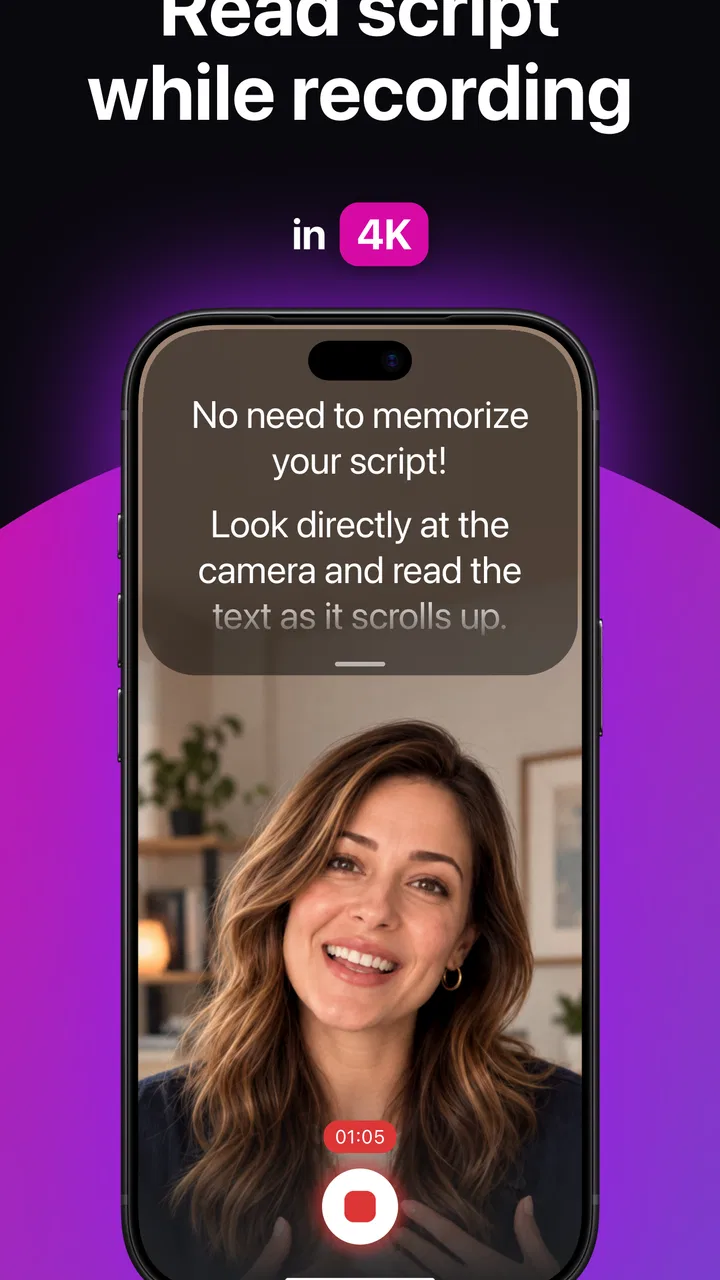
Video Teleprompter - Evelize is an app designed to help you record videos while reading a prepared script on your phone. It can be useful for content creators, teachers, influencers, presenters, business owners, and anyone who wants to speak more confidently on camera. Instead of memorizing every line, you can follow the scrolling text while maintaining a more natural eye position toward the camera.
02How does the teleprompter work while recording a video?
The app displays your script on the screen while using your device’s camera to record. Before starting, you can generally paste or type your text, adjust the scrolling speed, and position the script so it is comfortable to read. During recording, the words move across the display at your chosen pace. It is worth practicing first, because reading speed, font size, and camera placement can affect how natural your delivery looks.
03Can I customize the script and reading experience?
Video Teleprompter - Evelize is intended to provide flexible script controls so users can make text easier to follow during recording. Depending on the device and app version, customization may include changing font size, text position, scrolling speed, margins, or display settings. These options are particularly helpful for longer scripts or users who need larger text. Checking the available controls before recording is recommended.
04Does Video Teleprompter - Evelize require an internet connection?
The basic teleprompter and camera functions may work without a continuous internet connection, especially after the application has been installed and the script is available on the device. However, some features, updates, advertisements, cloud-related tools, or premium services may require internet access. If you plan to record in a location with weak connectivity, test the app offline beforehand and make sure your script is saved locally.
05Is Video Teleprompter - Evelize free to download, and are there in-app purchases?
The application may be available as a free download, but certain features can depend on the version installed, platform, or subscription and purchase options offered by the developer. Premium tools might remove advertising, unlock additional recording controls, or provide expanded script features. Before confirming a purchase, review the app-store listing carefully for pricing, trial conditions, recurring billing, and cancellation details.
Pros
- Adjustable scrolling speed keeps scripts easy to follow while recording.
- Supports front and rear cameras for flexible filming setups.
- Useful for presentations
- tutorials
- interviews
- and social media videos.
- Script text can be customized for clearer reading on different screens.
- Helps reduce memorization and retakes during video recording.
Cons
- Long scripts may require careful formatting to avoid awkward page breaks.
- Reading naturally still takes practice
- especially when looking near the lens.
- Some advanced recording or customization tools may require payment.
- Large text and video previews can drain battery during extended sessions.
- Performance may vary on older devices with limited memory.

Video Teleprompter - Evelize
Gallery